


|
Name |
Lexis Audio Editor |
|---|---|
|
Google Play Link |
GET IT ON
Google Play
|
|
Category |
Tools |
|
Developer |
pamsys |
| Last version | 1.4.237 |
|
Updated |
|
|
Compatible with |
Android 5.1+ |
What is Lexis Audio Editor APK?
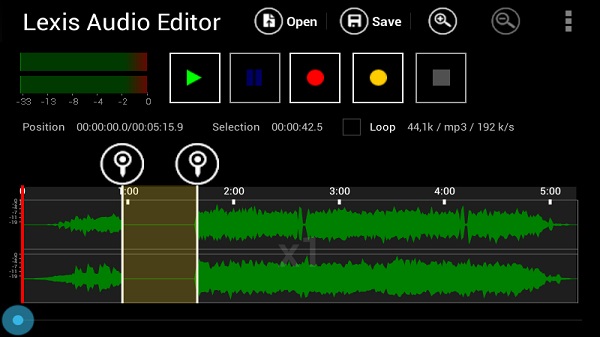
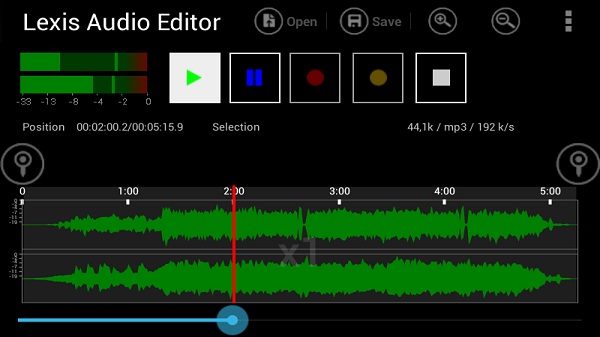
Lexis Audio Editor is a lightweight mobile utility app built for anyone who wants to edit sound files directly on their Android device. The app is designed with accessibility in mind, bringing essential editing features to your fingertips without any fuss. Its clean, straightforward interface makes creating, adjusting, or refining audio tracks a much simpler task even if you’ve never touched an audio editor before.
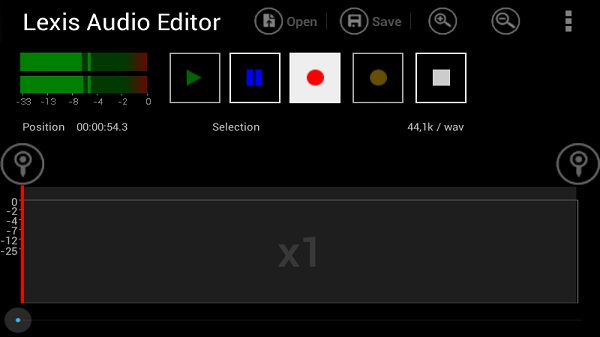
This tool fits a range of needs: you can record new audio, trim unwanted parts, merge clips, or split audio with just a few taps. On top of basic editing, the app supports mixing, pitch changes, and tempo adjustments, so musicians and podcast creators can polish their projects wherever inspiration hits. It even lets you separate vocals from background tracks and work with files from videos, which is handy for content creators.
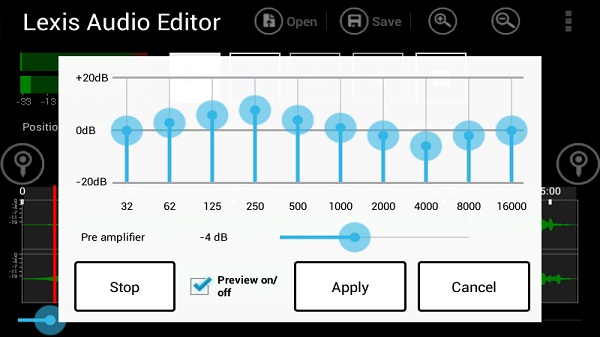
A major advantage is its support for multiple audio formats, like mp3, wav, and m4a. It also keeps things running smoothly thanks to its optimized memory use, meaning larger files won’t slow you down. If you want to take your files further, there’s a solid 10-band equalizer and a powerful noise reduction tool for cleaner, crisper output.
For anyone worried about storage or sharing, Lexis Audio Editor includes a file compression feature, letting you cut down on file size while keeping decent audio quality. The interface is designed to minimize steps, so even tasks like inserting silence for better pacing or fading between segments feel effortless. Most of the advanced features are available in the free version, with some extras such as MP3 export and support for certain file types unlocked by upgrading to premium.
On the flip side, those doing heavy editing with only a free account might notice ads or feel restricted by locked export options. And while the app is easy to use, it doesn’t have some of the deepest editing capabilities found in pro-level desktop tools.
Lexis Audio Editor works especially well for students, creators, musicians, and even business users recording interviews or lectures on the move. If your workflow depends on quickly editing recordings, trimming music, or cleaning up podcasts without hauling around a laptop, this app fills that niche with minimal fuss.
FAQs Lexis Audio Editor
What audio formats can I edit with Lexis Audio Editor on Android?
+
You can work with formats like mp3, wav, m4a, and several others, making the app flexible for all sorts of projects.
Does Lexis Audio Editor allow me to export files in mp3 format for free?
+
Mp3 exporting is available in the premium version, while the free version lets you use most features but limits some export options.
Can I remove background noise or clean up my recordings with this app?
+
Yes, the built-in noise reduction and 10-band equalizer help you create clearer, more professional-sounding audio.
Is Lexis Audio Editor easy to use for beginners who have never edited audio before?
+
Absolutely—its uncluttered design and simple tools make it ideal for anyone, regardless of their audio editing experience.
What kinds of users typically benefit the most from Lexis Audio Editor?
+
It’s popular among students, podcasters, musicians, and anyone needing quick, portable editing for lectures, voice memos, or song ideas.
Discover More Interesting Apps
-
 Mod
Mod
Nzb360
v24.4
18.09 Mb
Updated -
App Hider
v3.10.3_2d4907935
35.50 Mb
Updated -
iGOT Karmayogi
v5.0.0
46.32 Mb
Updated -
TunnelBear VPN
v5.0.6
20.00 Mb
Updated -
Mod
Seal
v2.3.2
121.34 Mb
Updated -
Mod
Ad Blocker
v7.6.0
10.00 Mb
Updated -
Mod
Zero Cleaner
v26.8.1
8.09 Mb
Updated -
Mod
PigeonCast
v3.6.0
57.49 Mb
Updated -
Mod
DevCheck
v6.50
35.99 Mb
Updated -
Mod
Hotspot Shield
v11.18.0
72.00 Mb
Updated










Share Your Thoughts